Once you have completed the trace, please copy and paste or take a screenshot and upload the image and send this information back to us in a support ticket.
Traceroute is a command which can show you the path a packet of information takes from your computer to one you specify. It will list all the routers it passes through until it reaches its destination, or fails to and is discarded. In addition to this, it will tell you how long each 'hop' from router to router takes.
In Windows, select Start > Programs > Accessories > Command Prompt. This will give you a window like the one below.
Enter the word tracert, followed by a space, then the domain name.
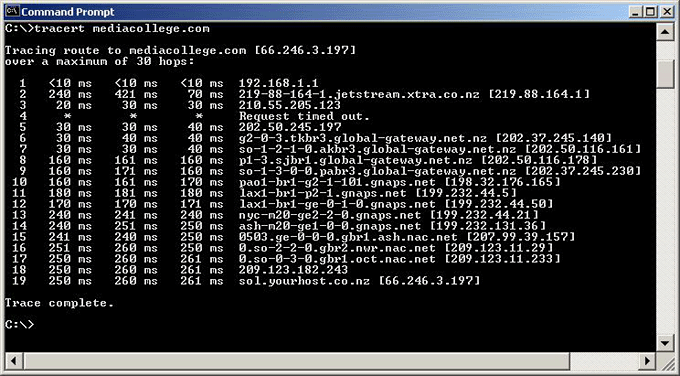
The following is a successful traceroute from a home computer in New Zealand to mediacollege.com:
Once you have completed the trace, please copy and paste or take a
screenshot and upload the image and send this information back to us in
a support ticket.